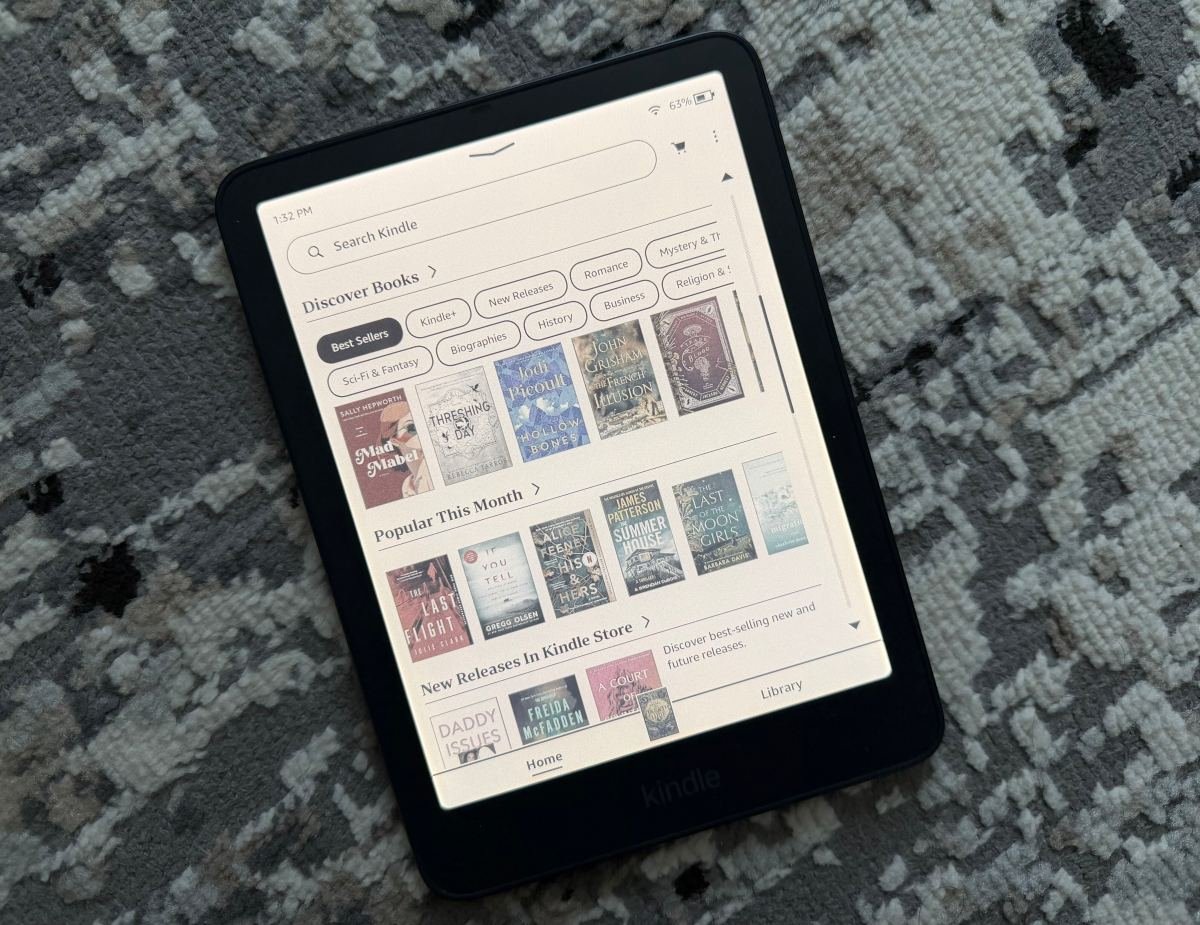
Technical Specifications and Architectural Breakdown
The engineering challenge behind the Kindle Colorsoft lies in maintaining the high-contrast, glare-free readability that users expect from an E-Ink display while overlaying a color filter layer. Amazon has achieved this by utilizing a 7-inch display that maintains a 300ppi (pixels per inch) density for monochrome text. This is critical; by ensuring that the underlying text remains razor-sharp, the device avoids the “fuzziness” that has plagued earlier generations of color e-paper.
When displaying color, the resolution shifts to 150ppi. This drop is a necessary byproduct of current E-Ink color filter technology, where sub-pixels are used to render hues. Despite this, the color reproduction is surprisingly subtle and calibrated for readability rather than high-saturation multimedia consumption. The device is powered by a custom-designed processor optimized for the faster page-turn speeds required to handle the rendering of color images, such as illustrations in graphic novels or detailed instructional diagrams in cookbooks.
Battery management remains the most impressive technical feat. One of the primary criticisms of color displays is their power draw. Amazon has implemented a new light-guide system that utilizes nitride LEDs to provide consistent illumination across the color array. This optimization allows the device to retain an eight-week battery life under standard usage conditions—a metric that places it well ahead of any traditional tablet and on par with the Paperwhite series. The hardware is housed in a slim chassis that prioritizes ergonomics, featuring a design language that aligns with the premium tier of the Kindle ecosystem.
Industry Landscape and Competitive Comparison
The Kindle Colorsoft enters a market that has seen modest activity from competitors like Kobo and Onyx Boox, both of which have experimented with Kaleido 3 color e-paper technology. However, Amazon’s entry is less about being the first to market and more about the integration of hardware with the vast Kindle Store ecosystem. For the average consumer, the choice between a standard Paperwhite and the Colorsoft comes down to the nature of their library.
| Feature | Kindle Paperwhite | Kindle Colorsoft | Competitor (Color E-Reader) |
|---|---|---|---|
| Display Type | Monochrome E-Ink | Color E-Ink | Color E-Ink |
| Text PPI | 300 | 300 | 300 |
| Color PPI | N/A | 150 | 100-150 |
| Battery Life | Up to 10 weeks | Up to 8 weeks | 4-6 weeks |
| Primary Target | Novels/Prose | Mixed Media/Comics | Professional/Technical |
While the Paperwhite remains the gold standard for pure text consumption due to its lighter weight and lower price, the Colorsoft provides a necessary expansion for users who frequently find themselves frustrated by the inability to see book covers, charts, or maps in their original context. Unlike tablets, which rely on backlit LCD or OLED panels that can induce eye strain, the Colorsoft maintains the reflective nature of E-Ink, ensuring that the color experience is soft and comfortable for long-duration reading sessions.
Practical Consumer & Enterprise Takeaways
Deciding to upgrade to the Kindle Colorsoft requires a clear assessment of one’s reading habits. If your library consists entirely of prose novels, biographies, or academic papers, the Colorsoft offers little functional advantage over the current Paperwhite. The additional cost is driven by the complexity of the display hardware, and that investment is best utilized by those who engage with visual media.
For users who read graphic novels, manga with color inserts, or instructional books—such as cookbooks or technical manuals with diagrams—the device is a clear improvement. It removes the need to switch between a Kindle and a tablet, thereby preserving the focus that a dedicated e-reader provides. From an enterprise perspective, the device is also being positioned as a tool for professionals who need to review documents where color-coding or highlighted charts are essential for comprehension. It is a niche, but significant, upgrade that justifies its premium price through the consolidation of devices.
Frequently Asked Questions
Does the color display affect the battery life significantly compared to the Paperwhite?
While the Colorsoft consumes more power than a monochrome device, the difference is marginal for most users. Amazon’s power management and the efficiency of the new light-guide system mean you are looking at roughly two weeks less battery life than the standard Paperwhite, which still equates to nearly two months of use on a single charge.
Is the screen resolution for text still as sharp as previous models?
Yes. The Kindle Colorsoft maintains a 300ppi resolution for monochrome text. Because the color filter layer does not interfere with the black-and-white pixels, the clarity and sharpness of text remain identical to the latest Paperwhite models.
Can I use this device for browsing the web or watching videos?
No. While the display is capable of rendering color, it is still an E-Ink panel. The refresh rate is designed for static images and text, not video playback. The web browser is strictly for basic navigation and downloading content, not for multimedia consumption.
The Bottom Line
The Kindle Colorsoft is a calculated evolution. It does not attempt to replace the tablet, nor does it force color on users who do not need it. Instead, it provides a specialized tool for a specific segment of the reading population. By maintaining the core strengths of the Kindle—long battery life, high-contrast text, and a distraction-free environment—Amazon has successfully introduced color without compromising the integrity of the reading experience. While the $290 price point positions it as a luxury item, the added utility for visual media makes it a compelling choice for those looking to expand the capabilities of their digital library.
